

5 Tips for Creating Memorable Summer Vacation Videos
One of the most powerful ways to make your vacation video memorable is to let the environment do the storytelling. Instead of relying on voiceovers or scripted narration, focus on showcasing the uniqu
On this page
Summer vacations are packed with sensory-rich moments—sunlight on sandy beaches, laughter around family dinners, and the thrill of discovering new places. Yet, turning these experiences into videos that resonate with viewers requires more than just capturing footage. Whether you're documenting a road trip, a solo adventure, or a family reunion, thoughtful planning and creative techniques can elevate your content from casual snapshots to engaging stories. Below are five practical tips to help you craft videos that viewers will cherish long after the trip is over.
Let the Location Speak for Itself
One of the most powerful ways to make your vacation video memorable is to let the environment do the storytelling. Instead of relying on voiceovers or scripted narration, focus on showcasing the unique qualities of your destination. A sunset over the Seychelles, the texture of a local market, or the sound of waves crashing can evoke emotions more effectively than words ever could.
Why it works: Environmental storytelling immerses viewers in the experience, allowing them to imagine themselves in the moment. For example, a video of a family reunion in a coastal town might focus on the golden light reflecting off the water, the smell of seafood in the air, and the warmth of shared laughter. These sensory details create a stronger emotional connection than any voiceover could.
How to apply it:
- Frame the scene: Use wide-angle shots to emphasize the scale and beauty of your surroundings.
- Highlight contrasts: Pair vibrant colors (like a tropical sunset) with subdued tones (like a quiet beach at dawn) to create visual interest.
- Avoid over-editing: Let the natural flow of the location guide the pacing of your video.
Keep It Candid
Authenticity is the cornerstone of engaging travel content. While staged shots can look polished, they often feel artificial. Candid moments—spontaneous interactions, unscripted laughter, and raw emotions—create a sense of intimacy that viewers crave.
Why it works: Candid footage feels like a window into your real experiences. A solo traveler capturing a street vendor’s smile as they hand over a fruit, or a family laughing while chasing a wave, adds a human element that’s hard to replicate.
How to apply it:
- Be present: Step back from the camera and let the moment unfold. Even if you’re shooting, your presence should feel subtle.
- Use natural lighting: Avoid relying on flash or artificial light. Let the environment shape the mood.
- Capture emotions: Focus on expressions, body language, and subtle interactions rather than perfect framing.
Example: A corporate team-building trip might include candid shots of employees laughing over a shared meal or competing in a game, rather than just focusing on the event setup.
Think in Shots
Planning your shots in advance can save you hours of editing later. By breaking your footage into varied, purposeful clips, you’ll create a more dynamic video that feels cohesive without being overwhelming.
Why it works: Short, varied clips mimic the way people naturally absorb information. A mix of close-ups, wide shots, and quick cuts keeps viewers engaged without making them feel like they’re watching a documentary.
How to apply it:
- Mix clip lengths: Combine 10-second clips of action with 3-second close-ups of details (like a melting ice cream).
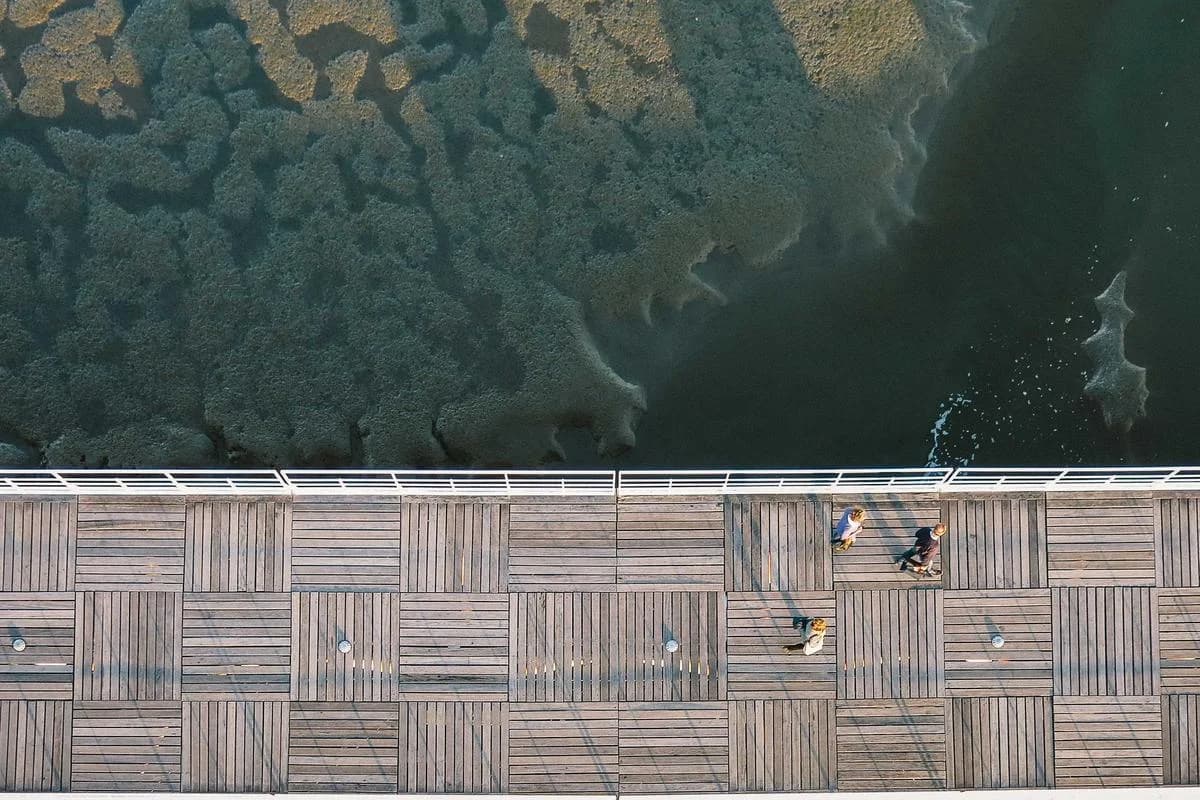
- Layer perspectives: Use a drone shot of a mountain vista, a handheld shot of a hiking trail, and a static shot of a campsite to show scale and texture.
- Avoid overplanning: Leave room for spontaneity. A great shot might happen when you least expect it.
Example: A solo traveler documenting a city tour might use a drone shot of the skyline, a handheld clip of navigating crowded streets, and a static shot of a local café to balance movement and stillness.
Document What You Want to Remember
Summer vacations are full of small, fleeting moments that often get overlooked. Focusing on these details can transform your video into a highlight reel that feels personal and meaningful.
Why it works: Relatable, everyday details create a sense of nostalgia that resonates with viewers. A melting ice cream cone, the sound of a child’s laughter, or the smell of a local dish can evoke vivid memories without needing to explain them.
How to apply it:
- Prioritize quality over quantity: Capture 2–3 standout details per scene rather than trying to film everything.
- Frame for emotion: Position your camera to highlight what feels significant to you. A sunset on a beach might be more meaningful than a panoramic shot.
- Use context: Pair small details with broader scenes to give them purpose. For example, a close-up of a sunburned cheek could be paired with a wide shot of a beach party.
Example: A wedding video might focus on the bride’s nervous smile before the ceremony, the groom’s hand in his pocket during the reception, or the couple’s shared laugh during a toast.
Keep It Fun
A vacation video should feel like a celebration of the joy and energy of the trip. Conveying upbeat, positive vibes through tone and visuals ensures your audience feels the excitement of the experience.
Why it works: Positive energy is contagious. A video that feels light and playful can make viewers feel like they’re joining in on the fun, even if they weren’t there.
How to apply it:
- Use dynamic angles: Incorporate movement with handheld shots, drone footage, or slow-motion to keep the energy high.
- Involve others: Ask travel companions to film from different perspectives or act as subjects. A friend’s candid shot of you trying to climb a rock wall can add humor and charm.
- Match the tone: Use upbeat music and quick cuts to mirror the excitement of the moment.
Example: An adventure trip might include a clip of a group laughing while hiking, a slow-motion shot of a waterfall, and a drone view of the trail to show the journey’s scale.
FAQ: Common Questions About Creating Summer Vacation Videos
Q: How do I avoid over-editing my vacation footage?
A: Focus on planning varied shots in advance and prioritize quality over quantity. Use simple editing tools to trim unnecessary clips and maintain a natural flow.
Q: What if I’m not a professional videographer?
A: That’s okay! Start with what you have. Use a smartphone or basic camera, and experiment with angles and lighting. Many creators use free apps like CapCut or iMovie to refine their footage.
Q: Should I film everything I see?
A: No. Select moments that feel meaningful to you. A single vivid detail can be more impactful than hours of footage.
Q: How do I make my video feel personal?
A: Use candid shots, focus on small details, and let the location guide the story. Avoid overplanning—let the moment shape the video.
Equipment and Tools for Vacation Videos
You don't need expensive equipment to create great vacation videos.
Essential Equipment
Start with basics:
- Smartphone: Modern phones have excellent cameras
- Stabilization: Use tripods, gimbals, or steady hands
- External microphone: Improve audio quality for interviews or narration
- Portable lighting: Small LED panels for low-light situations
- Storage: Extra memory cards or cloud backup
Editing Tools
Choose editing software that fits your skill level:
- Mobile apps: CapCut, iMovie, InShot for quick edits
- Desktop software: Adobe Premiere, Final Cut Pro for advanced editing
- Online editors: Canva, Clipchamp for browser-based editing
- AI tools: Automated editing features in modern apps
Advanced Techniques
Elevate your videos with professional techniques.
Color Grading
Enhance visual appeal:
- Consistent color palette: Maintain visual consistency throughout
- Mood enhancement: Use color to convey emotions
- Natural vs. stylized: Choose approach that fits your story
- Mobile apps: Use apps like VSCO or Lightroom for color grading
Sound Design
Improve audio quality:
- Natural sounds: Capture ambient audio from locations
- Music selection: Choose music that complements the mood
- Audio mixing: Balance dialogue, music, and ambient sounds
- Voiceover: Add narration if needed for context
Storytelling Structure
Create compelling narratives:
- Three-act structure: Beginning, middle, end
- Emotional arc: Build tension and resolution
- Pacing: Balance fast and slow moments
- Climax: Create a memorable peak moment
Sharing and Distribution
Maximize the impact of your vacation videos.
Platform Selection
Choose platforms based on your goals:
- Personal sharing: Private platforms for friends and family
- Social media: Instagram, TikTok, YouTube for broader reach
- Professional use: LinkedIn or portfolio sites for business
- Long-term storage: Cloud storage for preservation
Optimization for Platforms
Adapt content for different platforms:
- Format requirements: Vertical for mobile, horizontal for desktop
- Length optimization: Short clips for social, longer for YouTube
- Thumbnail design: Create compelling thumbnails for discovery
- Hashtags and tags: Use relevant tags for discoverability
Next Steps and Resources
Related on DCAST: Best free video editing software · Audio setup for live streaming · free creator tools.
คำถามที่พบบ่อย
What equipment do I need to film good vacation videos?
A modern smartphone covers most needs. Add a compact tripod or gimbal for stability, a small external microphone for clean audio, portable LED lighting for low light, and extra storage or cloud backup.
What editing software works for vacation videos?
Mobile apps like CapCut, iMovie, and InShot handle quick edits; desktop tools like Adobe Premiere or Final Cut Pro suit advanced work; and browser editors like Canva and Clipchamp are a good middle ground.
How do I make vacation videos more memorable?
Let the location set the scene, keep moments candid, think in short shots you can cut together, capture the details you want to remember, and structure clips with a simple beginning, middle, and end.
How can I improve the audio in travel videos?
Record ambient sound at each location, add music that matches the mood, balance dialogue against music and background noise, and layer in a short voiceover where a clip needs context.
dcast-team
Professional video streaming experts helping creators succeed.
บทความที่เกี่ยวข้อง



เริ่มต้นธุรกิจวิดีโอของคุณวันนี้
เข้าร่วมกับครีเอเตอร์นับพันที่สร้างรายได้จากคอนเทนต์ด้วย DCAST
เริ่มต้นใช้งานฟรี