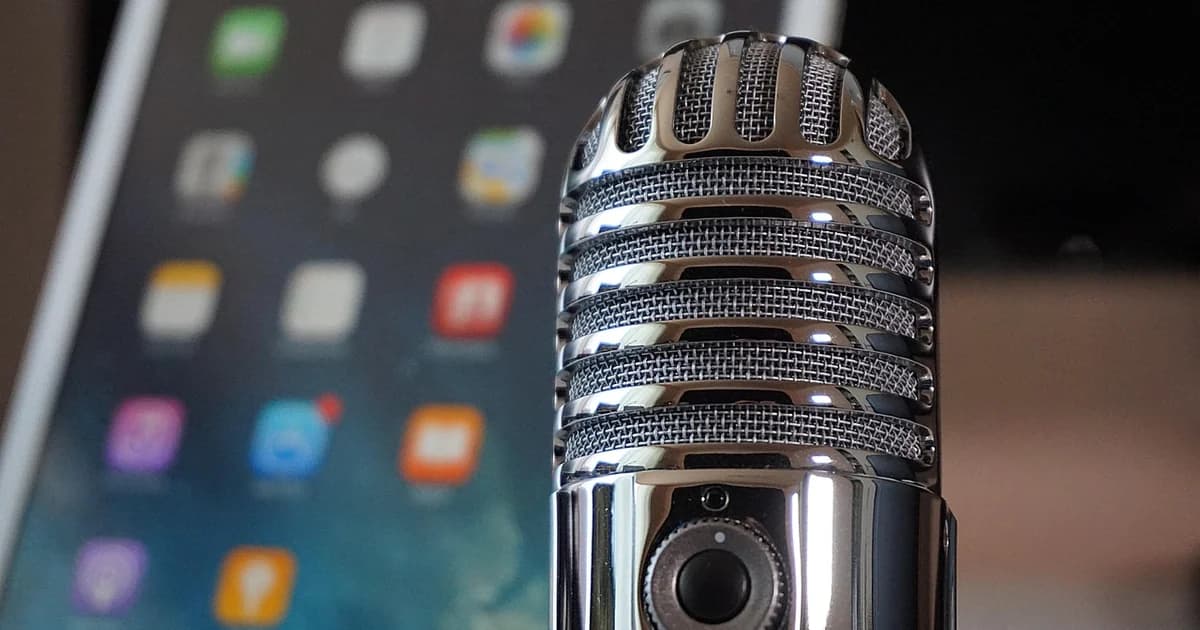
Video podcasts have moved from niche experiments to mainstream staples in 2026. By merging the personal connection of audio with the visual power of video, they let creators tell richer stories, reach broader audiences, and unlock new revenue streams. Whether you’re a solo entrepreneur, a corporate trainer, or an educator, this guide walks you through every stage—from concept to monetization—so you can launch a polished video podcast that earns subscribers and keeps them watching. Nail your framing first with our camera shots guide.
Understanding Video Podcasts
A video podcast (sometimes called a vodcast) delivers the same episodic structure as a traditional audio podcast but adds a visual layer. That visual component can be as simple as a static graphic behind a talking head, or as elaborate as multi‑camera productions with graphics, B‑roll, and live interaction.
Core Differences from Audio‑Only Shows
| Aspect |
Audio‑Only Podcast |
Video Podcast |
| Primary consumption context |
Commutes, workouts, multitasking |
Screens—desktop, mobile, TV |
| Production focus |
Voice clarity, sound design |
Lighting, framing, visual branding |
| Discovery channels |
Podcast directories, RSS feeds |
YouTube, Instagram, TikTok, embedded players |
| Repurposing potential |
Transcript → blog post |
Clips → reels, shorts, webinars |
Because video lives on platforms that reward visual engagement, creators can tap into algorithms that surface content based on watch time, thumbnail appeal, and caption usage.
- Static‑image / Talking‑head: One camera focused on the host with a clean backdrop. Ideal for interview‑style shows.
- Studio‑grade: Multiple cameras, purpose‑built lighting rigs, and on‑screen graphics. Suited for high‑production interview series or panel discussions.
- Remote / Split‑Screen: Guests join from separate locations via tools like Riverside.fm; the feed is combined in post‑production. Great for global expert panels.
- Hybrid with B‑Roll: Narration is intercut with supplemental footage, screenshots, or animation to illustrate concepts. Perfect for instructional or tech‑focused shows.
Choosing a format early helps you allocate budget, define staffing needs, and set expectations for your audience.
Why Launch a Video Podcast Today?
Amplified Audience Engagement
Visual cues—facial expression, gestures, on‑screen text—help retain attention far longer than audio alone. Creators frequently notice that viewers stay until the end of a video episode when compelling visuals accompany the discussion.
Every major social network now favors video. Short clips extracted from a full‑length episode can populate Instagram Reels, TikTok, YouTube Shorts, and LinkedIn native videos, turning a single piece of content into dozens of touchpoints.
SEO Advantages
Search engines index both spoken words (via automatic speech recognition) and any accompanying transcript or closed caption file. Adding accurate captions therefore boosts keyword relevance and opens up organic discovery pathways beyond platform recommendation engines.
Flexible Monetization Options
Beyond traditional sponsorship reads, video enables product demos, on‑screen call‑to‑actions, and tiered subscription experiences—all of which tend to convert at higher rates because viewers can see the value proposition directly.
Foundations of a High‑Quality Video Podcast
Visual Fidelity
Resolution: Aim for at least 1080p (Full HD). If you anticipate future repurposing for larger screens, consider 4K capture—but remember that higher resolution demands more storage and processing power.
Framing: Follow the “rule of thirds” to place the subject’s eyes roughly one‑third down from the top of the frame. Keep headsroom modest to avoid excessive empty space.
Background: Choose a tidy, non‑distracting backdrop. Branded wall art or a subtle gradient can reinforce identity without pulling focus.
Audio Clarity
Even the sharpest picture cannot rescue muffled speech. Prioritize a cardioid condenser or a lavalier microphone positioned 6–12 inches from the mouth. Use a pop filter to tame plosives and enable a low‑noise environment—turn off HVAC fans, close windows, and add acoustic treatment such as foam panels or blankets if necessary.
Thumbnail Design
Thumbnails act as billboards on crowded feeds. Effective thumbnails incorporate:
- Bold, legible type (large font size, high contrast).
- A clear focal point, usually the host’s face showing emotion.
- Consistent branding—color palette, logo placement, and layout pattern across episodes.
Testing multiple variations (A/B testing) can reveal which combination drives higher click‑through rates.
Captions & Accessibility
Closed captions serve three purposes: accessibility for hearing‑impaired viewers, comprehension for non‑native speakers, and SEO enrichment. Automated services (Otter.ai, Descript) speed up transcription, but always proofread for industry‑specific terminology.
Selecting the Right Gear
Below is a scalable checklist that accommodates beginners through seasoned producers.
| Category |
Entry‑Level Option |
Mid‑Tier Upgrade |
Pro Recommendation |
| Camera |
Smartphone (iPhone 14/Pixel 7) with gimbal |
Sony ZV‑E10 or Canon M50 Mark II |
Panasonic GH5 or Blackmagic Pocket Cinema Camera 4K |
| Microphone |
Rode SmartLav+ (plug‑in) |
Rode NT‑USB or Shure MV7 |
Sennheiser MKH 416 shotgun or Neumann TLM 102 |
| Lighting |
Ring light (18‑24") |
Softbox kit (2×) |
Bi‑color LED panels with DMX control |
| Stabilization |
Tabletop tripod |
Full‑size tripod with fluid head |
Motorized slider + follow‑focus rig |
| Audio Interface (if using XLR) |
Focusrite Scarlett Solo |
Focusrite Clarett 2Pre |
Universal Audio Apollo Twin X |
When budgeting, prioritize audio first—viewers forgive a slightly grainy picture but rarely tolerate poor sound.
Software Stack for Editing & Captioning
-
Video Editing
Free: DaVinci Resolve (powerful color grading, multi‑cam editing).
Paid: Adobe Premiere Pro (industry standard, tight integration with After Effects).
-
Audio Post‑Processing
Audacity (free) or Adobe Audition for noise reduction, EQ, and compression.
-
Caption Generation
- Automated: Otter.ai, Descript, or YouTube’s auto‑caption feature.
- Manual polishing: Export .srt files and edit in Subtitle Edit or directly in the video editor.
-
Graphic Overlays
Canva (quick templates) or Adobe After Effects for animated lower thirds, intro/outro sequences, and call‑to‑action banners.
Crafting a Robust Production Workflow
A repeatable process reduces stress and keeps quality consistent.
1. Pre‑Production
Concept Development: Define your niche, target persona, and core value proposition. Conduct competitor audits to spot gaps.
Episode Blueprint: Draft an outline with segment timings (intro, main discussion, breakout, CTA). Include placeholder notes for B‑roll or on‑screen graphics.
Guest Coordination: Send a briefing packet containing episode theme, sample questions, technical specs (resolution, preferred lighting), and a test‑call link.
Tech Run‑Through: Verify camera firmware, microphone gain, and internet bandwidth (minimum 10 Mbps upload for 1080p streaming).
2. Production
Set‑up: Position lights at 45° angles to eliminate shadows. Place the camera at eye level; use a monitor or external recorder for real‑time playback.
Recording: Hit “record” on both video and separate audio track (dual‑system recording) to give yourself flexibility in post. Capture a few seconds of ambient room tone for later smoothing.
Performance: Speak naturally, glance at the lens occasionally, and pause between ideas to allow clean edits.
3. Post‑Production
Sync: Align audio and video tracks using a clapboard or hand clap at the start.
Edit: Trim filler, insert B‑roll, apply color correction (balance whites, lift shadows), and mix audio (normalize levels, compress peaks).
Graphics: Add lower thirds for speaker introductions, bullet‑point overlays for key takeaways, and a closing screen with subscribe prompts.
Captions: Generate an initial transcript, edit for accuracy, and embed as a closed‑caption track.
Export Settings: H.264 codec, 1080p, 30 fps, bitrate ~8 Mbps for YouTube; MP4 container for universal compatibility.
4. Quality Assurance
Watch the final export on multiple devices (mobile, desktop, TV) to confirm readability of text and overall visual fidelity. Double‑check that captions sync perfectly and that audio peaks never exceed -1 dBFS.
Metadata: Include primary keyword in title, a compelling hook in the first 100 characters of the description, and a list of secondary keywords.
Playlist Organization: Group episodes by series or theme to encourage binge‑watching.
Community Features: Pin a comment with links to related resources, run polls, and respond to viewer questions.
Clip Selection: Identify 15‑ to 60‑second moments that contain a punchy statement, visual demo, or emotional reaction.
Vertical Formatting: Re‑frame the original footage to 9:16 aspect ratio; add subtitles at the bottom third of the screen.
Hashtag Strategy: Combine broad tags (#videopodcast) with niche ones (#digitalmarketingtips) to broaden reach.
White‑Label Solutions (e.g., dcast.tv)
Brand Consistency: Upload episodes to a custom domain, replace default player skins with your logo, and configure subscription tiers.
Analytics: Leverage built‑in dashboards to monitor watch time, geographic breakdown, and churn rates.
Monetization: Activate pre‑roll ads, sponsor slots, or pay‑per‑view purchases directly within the platform.
Repurposing Content for Maximum ROI
- Transcribed Blog Posts – Turn each episode’s transcript into a long‑form article, inserting screenshots and pull‑quotes for SEO benefit.
- Slide Decks – Convert key slides or diagrams into a downloadable PDF that complements the episode.
- Newsletter Highlights – Summarize the episode in a weekly digest, linking back to the full video.
- Online Courses – Bundle a series of episodes into a modular learning path, adding quizzes and assignments.
- Live Q&A Sessions – Host a live stream where you field audience questions derived from previous episodes, reinforcing community ties.
Monetization Pathways
Tiered Subscriptions
Offer a “Free” tier with ad‑supported episodes and a “Premium” tier granting early access, ad‑free viewing, and bonus behind‑the‑scenes content. Platforms like dcast.tv simplify recurring billing and member management.
Integrate brand messages organically—show a product in use, overlay a sponsor logo during a transition, or dedicate a segment to a partner’s case study. Transparency is crucial; disclose sponsorships per FTC guidelines.
Digital Product Sales
Package episode recordings, worksheets, and supplementary videos into a purchasable bundle. Because the content is already visual, buyers perceive higher value compared to plain PDFs.
Affiliate Links
Demonstrate tools or books discussed in the episode, embedding affiliate URLs in the description and on-screen QR codes. Visual demonstration typically yields stronger click‑through rates.
Real‑World Illustrations
A regional nonprofit launched a weekly video podcast featuring volunteer stories. By adding captions and sharing 30‑second teaser clips on Facebook, they saw a noticeable uptick in event sign‑ups and donor inquiries.
A multinational corporation replaced static PowerPoint trainings with video podcast modules. Employees reported higher satisfaction scores, citing the ability to replay visual demonstrations as a key factor.
Independent Creator Growth
An indie filmmaker turned her interview series into a video podcast, uploading full episodes to YouTube and clipping standout moments for TikTok. Within six months, subscriber growth accelerated, and she secured a sponsorship deal with a camera accessory brand.
Common Pitfalls and How to Dodge Them
| Pitfall |
Impact |
Remedy |
| Ignoring audio quality |
Viewers leave within seconds |
Invest in a dedicated mic before upgrading the camera. |
| Irregular publishing cadence |
Audience disengagement |
Batch‑produce episodes and schedule releases in advance. |
| Skipping analytics review |
Missed optimization opportunities |
Review weekly metrics; adjust thumbnail styles or segment lengths based on retention curves. |
| Over‑engineering early episodes |
Burnout, delayed launches |
Start simple—single camera, basic lighting—and iterate as audience feedback arrives. |
| Forgetting legal clearances |
Copyright strikes, takedowns |
Secure rights for music, stock footage, and guest releases before publishing. |
Advanced Production Enhancements
Multi‑Camera Storytelling
Deploy a primary wide shot plus a secondary close‑up. Switch between angles during editing to emphasize reactions or highlight visual aids. Even a two‑camera setup dramatically raises perceived professionalism.
Live Interaction Layers
Overlay real‑time poll results, chat excerpts, or viewer‑submitted questions onto the live stream. This encourages active participation and generates content snippets for later repurposing.
Remote Guest Excellence
Use a dedicated hardware encoder (e.g., ATEM Mini) to ingest each participant’s feed at high quality. Encourage guests to adopt similar lighting and microphone standards to minimize post‑production fixes.
Zapier or Make.com can automatically push newly published episodes to a mailing list, update a CMS page, and generate social media drafts, freeing you to focus on creative work.
Final Thoughts
Launching a high‑quality video podcast in 2026 is less about owning the latest camera and more about mastering a holistic workflow that blends storytelling, technical execution, and strategic distribution. By:
- Defining a clear format and audience,
- Investing wisely in audio and lighting,
- Building a repeatable pre‑/production/post pipeline,
- Optimizing each episode for platform‑specific discovery, and
- Leveraging a flexible host like dcast.tv for branding and monetization,
you position yourself to grow a loyal following, diversify income, and future‑proof your content assets. Remember, consistency beats perfection—publish regularly, listen to audience feedback, and refine your process iteratively. With the tactics outlined here, you’re equipped to create video podcasts that inform, entertain, and inspire—today and for years to come.