Introduction to Multi-Camera Live Streaming
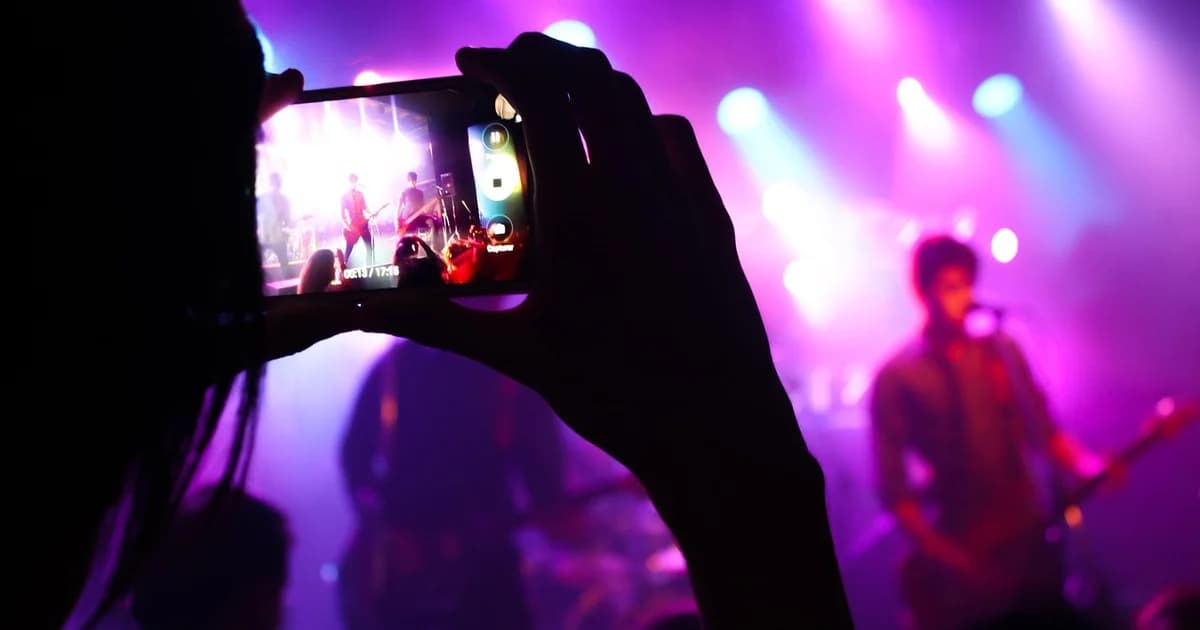
Multi-camera live streaming involves recording and broadcasting live events from multiple angles simultaneously, allowing viewers to experience a more dynamic and engaging perspective. This technique is commonly used in events such as concerts, sports games, and conferences. The benefits include enhanced viewer engagement, improved storytelling, and the ability to capture different aspects of an event.
Common Use Cases
- Events and Conferences: Multi-camera setups can capture keynotes, Q&A sessions, and panel discussions from various angles.
- Sports and Live Performances: Different cameras can focus on players, audience reactions, and critical moments, providing a comprehensive coverage.
- Corporate Events: Multi-camera setups allow for a professional recording of presentations and speeches, ensuring no detail is missed.
Hardware Components
Cameras and Lenses
Selecting the right cameras and lenses is crucial for high-quality multi-camera streaming. Popular choices include the Sony PXW-X70, Panasonic Lumix GH5, and Canon EOS C100.
Key Considerations:
- Resolution: Full HD (1080p) or 4K for high-quality streams.
- Frame Rate: At least 30fps for smooth motion.
- Zoom Range: Opt for lenses with a wide zoom range to cover various shots.
- Low Light Performance: Good low light capabilities for darker environments.
Tripods and Camera Mounts
Stability is essential for smooth footage. Reliable tripods and camera mounts ensure that the cameras do not shake during the event.
Recommended Models:
- Manfrotto MT055XPRO3: A sturdy and versatile tripod.
- Joby GorillaPod: Portable and flexible for mounting cameras in tight spaces.
Microphones and Audio Equipment
High-quality audio is just as important as video. Use shotgun microphones, lapel microphones, and audio mixers to capture clear sound.
Key Equipment:
- Rode NTG2 Shotgun Microphone: For direct recording from cameras.
- Sennheiser EW 100 G4 Lavalier Microphone: For clear, wireless audio.
- Zoom H5 Handy Recorder: For audio mixing and recording.
Capture Cards
Capture cards are essential for connecting cameras to the computer or switcher. They come in various types, each with its own performance and compatibility considerations.
Types of Capture Cards
- PCIe: High performance, suitable for high-resolution and high-frame-rate streams.
- USB: Easy to install and configure, good for lower-resolution streams.
- Thunderbolt: High-speed and versatile, supports high-resolution streams.
Recommended Models
- Elgato Game Capture HD60: USB capture card, excellent for OBS and vMix integration.
- Blackmagic Design UltraStudio Mini Recorder: PCIe card, supports 4K resolution.
Video Switchers
Video switchers manage the switching between multiple camera feeds to create a seamless live stream. They can be either hardware-based or software-based.
Hardware Video Switchers
- Blackmagic Design ATEM Mini: Compact and easy to use, ideal for small-scale events.
- Atem Television Studio Pro 4K: High-end switcher with advanced features suitable for professional production.
Software-Based Video Switchers
- OBS Studio: Free and open-source, highly customizable with plugins and extensions.
- vMix: Commercial software with advanced features like chroma keying, audio mixing, and multi-stream support.
Features and Capabilities Comparison
| Feature |
ATEM Mini |
Atem Television Studio Pro 4K |
OBS Studio |
vMix |
| Resolution |
1080p |
4K |
Variable |
Variable |
| Audio Mixing |
Basic |
Advanced |
Yes |
Yes |
| Chroma Keying |
Basic |
Advanced |
Yes |
Yes |
| Multi-Stream Support |
Basic |
Advanced |
Yes |
Yes |
| Cost |
Low |
High |
Free |
Paid |
Synchronization Techniques
Synchronization is crucial for maintaining a smooth and seamless transition between camera feeds. Proper synchronization ensures that all cameras are in sync, reducing the risk of frame delays and drift.
Understanding Frame Rates and Sync Issues
Frame rate synchronization involves ensuring that all cameras are recording at the same frame rate. Common frame rates include 24fps, 30fps, and 60fps. Synchronization issues can occur due to slight variations in frame rate or timing.
Methods for Synchronizing Multiple Cameras
- External Sync Pulses: Use an external pulse generator to sync all cameras.
- Software-Based Sync: Use software to adjust timing and frame rates.
Best Practices
- Use High-Quality Cables: Ensure all connections are reliable.
- Regular Calibration: Periodically calibrate cameras to maintain sync.
- Monitor Latency: Use tools to monitor and adjust latency in real-time.
Software Configuration
Setting Up OBS Studio
OBS Studio is a powerful tool for multi-camera live streaming. Here’s how to set it up:
- Install OBS: Download and install OBS from the official website.
- Add Sources: Add your camera sources by going to
Sources > Add > Video Capture Device.
- Configure Switcher: Use the
Transition and Scene features to manage camera switching.
- Settings: Ensure your output settings match your desired resolution and frame rate.
Configuring vMix for Multi-Camera Production
vMix is a commercial software with advanced features. Here’s how to configure it:
- Install vMix: Download and install vMix from the official website.
- Add Cameras: Use the
Source menu to add cameras.
- Switching: Use the
Mix feature to switch between cameras.
- Settings: Configure your output settings to match your streaming requirements.
Choosing the right streaming platform is crucial for reaching your audience. Popular platforms include YouTube Live, Twitch, and Facebook Live.
- YouTube Live: Ideal for reaching a wide audience and integrating with Google services.
- Twitch: Best for gaming content and real-time interaction with viewers.
- Facebook Live: Good for social media engagement and targeting specific demographics.
Integrating with dcast.tv
dcast.tv is a robust streaming solution that supports multi-camera setups. It offers advanced features like encoding, transcoding, and CDN distribution.
Recommended Settings
- Resolution: 1080p or higher for high-quality streams.
- Bitrate: Adjust bitrate based on network conditions.
- Frame Rate: Maintain a consistent frame rate across all cameras.
Post-Production Editing
Editing multi-camera footage can be complex but rewarding. Use professional editing software to compile and refine your content.
Basic Editing Techniques
- Syncing Clips: Use software tools to sync clips from different cameras.
- Cutting and Trimming: Cut and trim clips to create a cohesive narrative.
- Transitions: Use transitions to smoothly switch between camera angles.
Common Post-Production Software
- Adobe Premiere Pro: Industry-standard software with advanced editing tools.
- Final Cut Pro: Mac-based software with powerful editing capabilities.
Tips for Efficient Editing
- Organize Clips: Keep your project organized by labeling clips and scenes.
- Use Templates: Create templates for common editing tasks.
- Review and Refine: Continuously review and refine your edits for the best quality.
Troubleshooting Common Issues
Camera and Audio Synchronization Problems
- Check Connections: Ensure all cables are properly connected.
- Calibrate Cameras: Calibrate cameras to ensure they are in sync.
- Use External Sync Pulses: Use an external sync generator to maintain consistency.
Network and Buffering Issues
- Test Network: Test your internet connection before the event.
- Use CDN: Utilize a CDN for reliable streaming.
- Monitor Bandwidth: Monitor bandwidth usage to avoid buffering.
Best Practices for Testing and Troubleshooting
- Conduct Test Runs: Run test streams to identify and fix issues.
- Have Backup Plans: Have backup equipment and plans in case of failures.
- Monitor Live Stream: Monitor the live stream for real-time issues.
Conclusion
Setting up a multi-camera live streaming setup involves selecting the right hardware, configuring software, and ensuring synchronization. By following the steps outlined in this guide, you can create professional, engaging live streams that captivate your audience.