Video on demand
Upload your first video
Add a video file from your computer to your DCAST library.
Before you start
- You are signed in to DCAST.
- You have a finished video file saved on your computer.
- Your browser tab can stay open during the upload.
Steps
- 1Open the dashboard and click Videos in the top navigation.
- 2Click Upload Video.
- 3Click Choose file and select the video from your computer.
- 4Enter a title — keep it clear so you can find it later.
- 5Click Start upload.
- 6Do not close the browser tab while the upload is running.
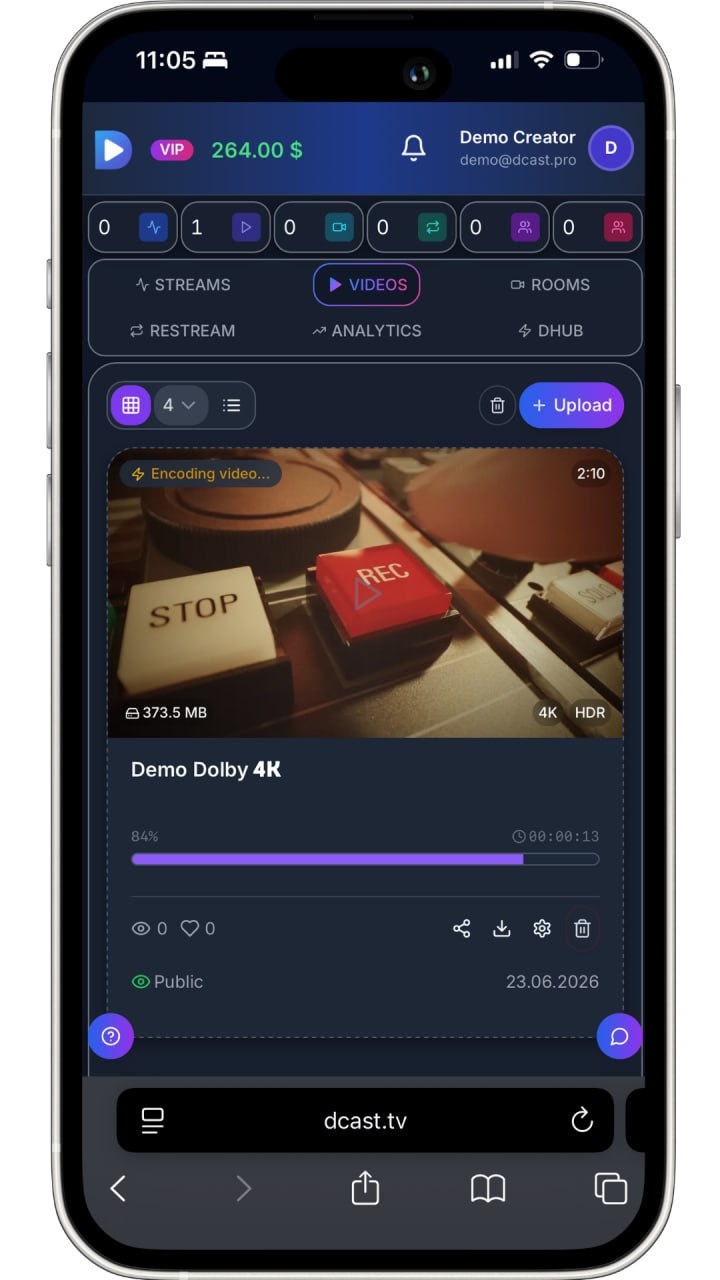
- 7A progress bar shows how much is complete.
- 8When the upload finishes, DCAST begins processing the file automatically.
Expected result
The video appears in your library with a Processing status while DCAST prepares playback versions.
Common problems
The upload stops halfway.
Keep the browser tab open and check your internet connection. Reload the page and try again if needed.
I uploaded the wrong file.
Delete the video from the library before it finishes processing, then upload the correct file.
The upload is very slow.
Large files take time. Use a wired connection and avoid running other large downloads at the same time.